
Complete Review and Feature Guide for vedu app
Finding a reliable and feature-rich media hub for Android devices can be challenging for modern entertainment enthusiasts. If you are exploring options like the vedu app, it is important to understand what the application offers, how it operates on various devices, and what safety considerations you should keep in mind before proceeding. This guide aims to help Android users in India evaluate the platform objectively, examining its user interface, supported media categories, potential technical risks, and how it compares against officially licensed streaming services. Whether you are looking for live television integration, regional cinema selections, or customization options, this review breaks down the essential facts to help you make an informed decision.
What is vedu app
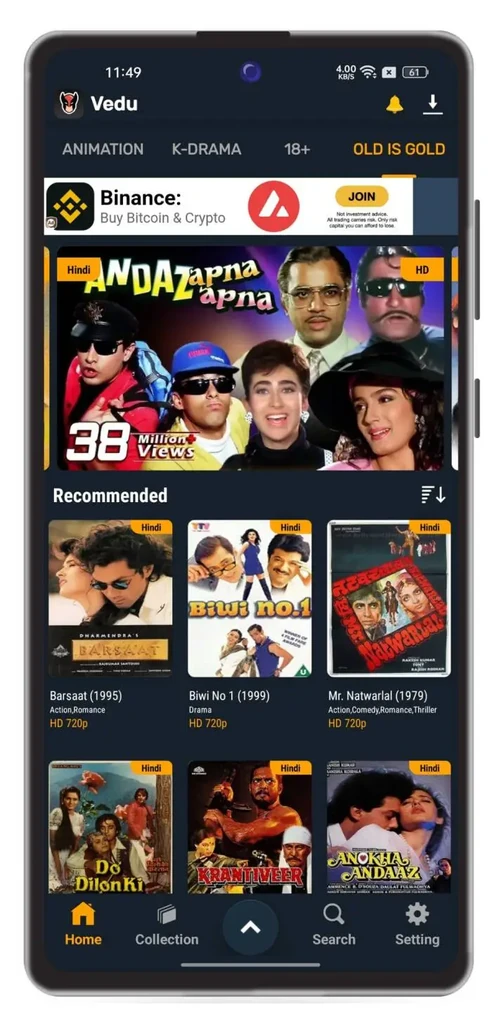
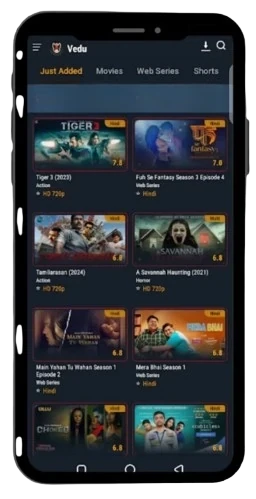
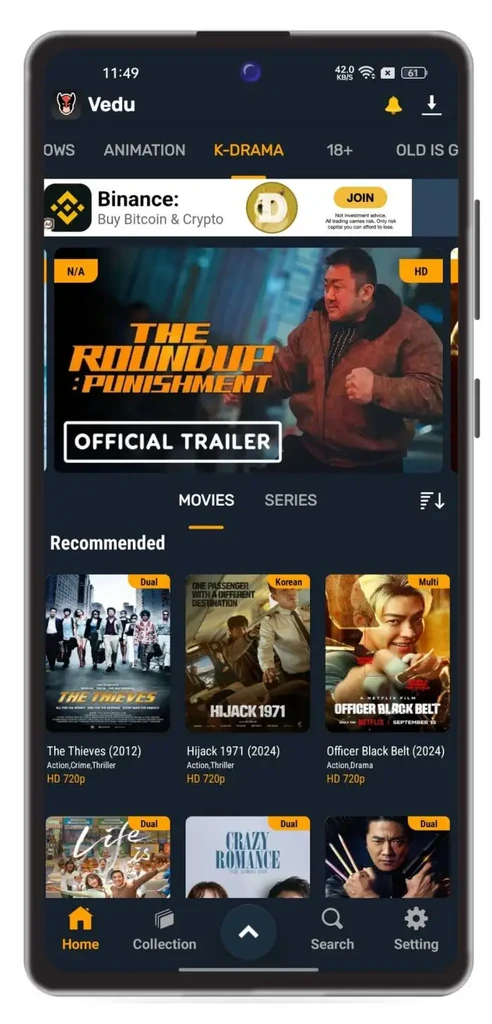
The vedu app is designed as an Android application that aggregates various forms of digital entertainment, including movies, web series, live television channels, and sports broadcasts. The platform aims to serve users who prefer a consolidated interface for accessing international and regional content without navigating multiple separate portals. It organizes media into distinct categories such as drama, action, romance, news, and kids programming, allowing viewers to browse titles using an integrated search bar and genre filters.
Regarding its content sourcing and licensing status, this page could not verify that the app holds licences for the content it offers. While the interface presents links to various public streams and external media channels, third-party aggregators often operate without direct authorization from copyright holders. Users should carefully weigh this factor, as streaming unverified media can involve copyright ambiguities and reliability issues depending on regional regulations in India.
Key Features
Live TV Integration
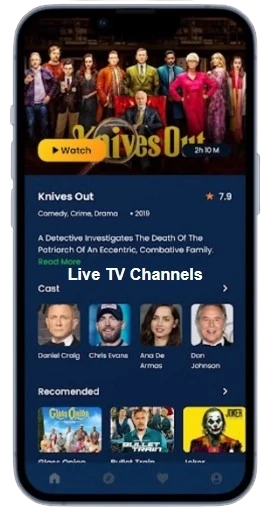
The application supports access to a wide selection of live television channels, covering news, documentaries, and sports networks. Viewers can monitor real-time broadcasts from various Indian and international networks, ensuring that live events and daily news updates remain accessible directly from an Android mobile device or tablet.
Adjustable Video Resolution
To accommodate different internet speeds and connection stability, the platform provides manual video resolution adjustments. Users can switch between standard definition and high-definition formats depending on whether they are connected to a high-speed Wi-Fi network or mobile data.
Multi-Language Subtitles
Subtitles are integrated to help viewers follow movies and series produced in foreign languages or regional dialects. The feature supports external subtitle file uploads and alignment options, assisting users who prefer translated text while watching international cinematic releases.
Offline Viewing and Downloads
The platform includes a download manager that permits users to save select video files for offline playback. This functionality is intended for individuals traveling or experiencing intermittent network connectivity, allowing them to watch saved content later without active data streams.
Chromecast Support
Users can cast media playing on their Android smartphones directly to compatible smart televisions or streaming sticks using built-in casting tools. This feature turns the mobile device into a remote control, enabling larger-screen viewing without complex configuration setups.
Customizable Watchlists
A bookmarking system allows individuals to save favorite movies, shows, and channels into a private list. This organization tool helps track unfinished episodes and streamlines access to frequently visited content directly from the application home screen.
What You Can Watch
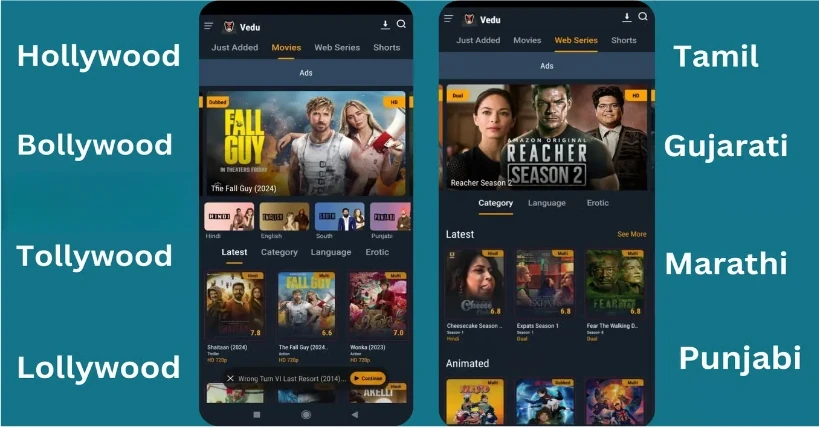
The platform curates a diverse mix of entertainment genres tailored to diverse regional audiences. Content categories include Bollywood blockbusters, Hollywood movies with Hindi dubbing, and regional South Indian cinema spanning Tamil, Telugu, and Malayalam languages. Viewers can also explore web series, Indian TV serials, lifestyle programs, business news, and children's cartoon networks.
Language support extends across multiple Indian regional tongues, offering a localized viewing experience. However, because the availability of specific titles depends on external web scrapers and public links, users may occasionally encounter broken streams or fluctuating catalog updates.
Device Compatibility
- Android smartphones and tablets
- Android TV boxes and smart television sets
- Amazon Firestick devices
- PC emulators running Android environments
vedu app vs Licensed OTT Platforms
| Feature | vedu app | Licensed OTT Platforms (e.g., Netflix, Prime Video) |
|---|---|---|
| Content Licensing | Not verified / Unconfirmed | Fully licensed and legal |
| Subscription Cost | Free to use | Paid subscription tiers |
| Video Quality | Varies (Up to HD/4K depending on source) | Consistent HD, 4K, and HDR |
| None / Community-based | Official 24/7 customer service | |
| App Store Presence | Side-loaded APK | Official Google Play Store / Apple App Store |
Pros and Cons
| Pros | Cons |
|---|---|
| Consolidated library of regional and international content | Unable to verify content licensing agreements |
| Lightweight Android application with basic casting tools | Requires manual APK updates outside official stores |
| Multi-language subtitle and offline download support | Potential stream instability and broken links |
Safety and Legal Considerations
Downloading and installing applications via APK files from unknown or third-party web sources involves inherent digital risks. Unlike applications reviewed and distributed through official app marketplaces like Google Play, side-loaded files bypass automated security checks. This can expose Android devices to malware, excessive permission requests, and tracking scripts. Furthermore, third-party apps often lack automatic update mechanisms, leaving users vulnerable to unpatched security flaws.
From a legal standpoint, this page could not verify that the app holds licences for the content it offers. Streaming copyrighted movies, sports broadcasts, or television series through unauthorized channels may violate digital copyright laws in India. Users are advised to review local telecommunications and copyright regulations before engaging with unverified third-party platforms.
Before installing any unverified APK, you should perform standard security checks: verify the developer's background, inspect requested permissions during installation, and ensure your device runs an active security tool such as Google Play Protect.
Before You Install

Because third-party streaming applications carry digital and legal uncertainties, users should carefully consider their options before proceeding with installation. Keep the following checklist in mind:
- Acknowledge that content licensing cannot be confirmed.
- Understand the security risks associated with side-loading APKs from unverified web sources.
- Evaluate whether official streaming services better suit your entertainment and security requirements.
Common Problems and Troubleshooting

Users of media streaming applications frequently encounter minor technical hurdles. Here are standard troubleshooting steps for common issues:
- Buffering and Slow Streams: Check your internet connection speed, restart your router, or lower the video resolution settings inside the app.
- Playback Errors: Clear the application cache through your Android device settings or restart the app.
- Casting Failures: Ensure both your mobile device and smart TV are connected to the same local Wi-Fi network before initiating Chromecast.
Licensed Alternatives
If you prefer secure, authorized, and stable streaming experiences, consider exploring these major platforms operating legally in India:
- Netflix: A global subscription service offering a vast library of original web series, international films, and regional Indian movies. Ideal for premium entertainment seekers.
- Amazon Prime Video: Provides blockbuster movies, Amazon Originals, and live sports coverage bundled with shopping perks. Best for families and multi-device households.
- JioHotstar: Features an extensive catalog of live cricket, Indian premier leagues, blockbuster movies, and regional television shows. Perfect for sports and local drama fans.
- SonyLIV: Known for live sports events, original web series, and popular Sony television network shows. Suitable for diverse entertainment preferences.
Frequently Asked Questions
Is the vedu app available on the Google Play Store?
No, the application is typically distributed via third-party websites as an APK file rather than through official app marketplaces, which means it requires manual installation.
Does the vedu app hold legal licenses for its media content?
This page could not verify that the app holds licences for the content it offers, and users should exercise caution regarding copyright compliance in India.
Is it safe to download APK files from unknown sources?
Installing apps from outside official stores carries risks such as potential malware, data privacy concerns, and lack of automatic security updates, requiring careful device protection.
Can I use Chromecast with this application?
Yes, the platform includes built-in casting features that allow users to mirror video playback from their Android mobile devices directly to compatible smart televisions.
What should I do if a live stream or video fails to load?
Common troubleshooting steps include checking your internet connection, clearing the app cache, or restarting your device to restore normal streaming performance.
Are there alternative platforms that operate legally in India?
Yes, numerous authorized streaming platforms such as Netflix, Amazon Prime Video, JioHotstar, and SonyLIV provide verified content with full copyright compliance.
Conclusion
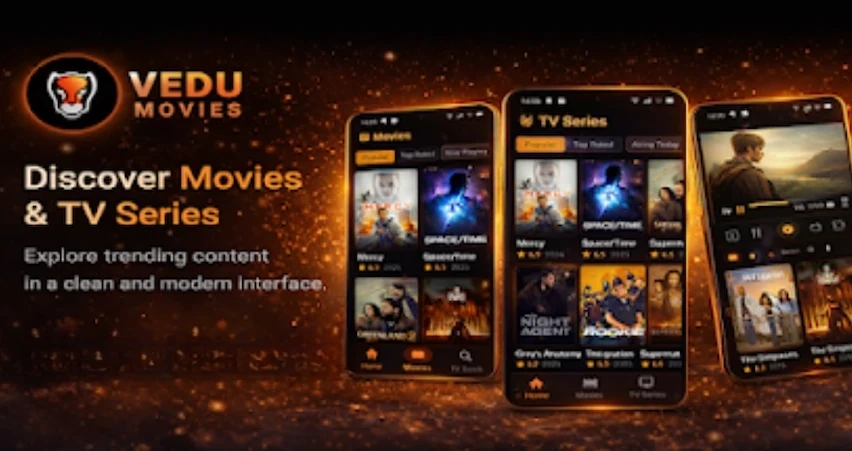
The vedu app presents a feature-packed interface for Android users seeking a consolidated media hub for movies, live television, and sports. However, because content licensing cannot be verified and side-loading APKs involves digital security considerations, users must weigh these factors carefully. If you value guaranteed stability, secure data practices, and full legal compliance, exploring authorized Indian streaming platforms remains the safest and most reliable choice.